(Raul's Corner) Humble Daily Bundle

     The Humble Bundle is at it again with not only one more bundle, but 14 daily bundles.  Yes you read that right Humble Daily bundle is going on right now for two weeks until the 26th of May. The current Daily Bundle is The Banner Saga. It's pay what you want for the The Banner Saga Artwork and Factions Starter Pack. Pay more than the average and receive the Variations Pack, and contribute more than $15 to get The Banner Saga. With a customizable contribution, you can choose how to split your donation between developer, Heartworks OC and the Humble Tip for the website.  

(This Working Droid) This Working Droid Episode 110 Swarm

                                                                                    <a class="image-slide-anchor content-fit"                >                  <img class="thumb-image" alt="01.jpg" data-image="http://static.squarespace.com/static/50bea065e4b066c23fcf5491/537532a0e4b0c4a5e90fe3fd/537532a3e4b05ff1a086afa5/1400189620924/01.jpg" data-image-dimensions="720x1280" data-image-focal-point="0.5,0.5" data-load="false" data-image-id="537532a3e4b05ff1a086afa5" data-type="image" src="http://static.squarespace.com/static/50bea065e4b066c23fcf5491/537532a0e4b0c4a5e90fe3fd/537532a3e4b05ff1a086afa5/1400189620924/01.jpg?format=500w" /><br>                </a>                                                                                                                                                        <a class="image-slide-anchor content-fit"                >                  <img class="thumb-image" alt="02.jpg" data-image="http://static.squarespace.com/static/50bea065e4b066c23fcf5491/537532a0e4b0c4a5e90fe3fd/537532a2e4b0f5318f8ef3ac/1400189604207/02.jpg" data-image-dimensions="720x1280" data-image-focal-point="0.5,0.5" data-load="false" data-image-id="537532a2e4b0f5318f8ef3ac" data-type="image" src="http://static.squarespace.com/static/50bea065e4b066c23fcf5491/537532a0e4b0c4a5e90fe3fd/537532a2e4b0f5318f8ef3ac/1400189604207/02.jpg?format=500w" /><br>                </a>                                                                                                                                                        <a class="image-slide-anchor content-fit"                >                  <img class="thumb-image" alt="03.png" data-image="http://static.squarespace.com/static/50bea065e4b066c23fcf5491/537532a0e4b0c4a5e90fe3fd/537532a4e4b0f5318f8ef3ae/1400189621800/03.png" data-image-dimensions="720x1280" data-image-focal-point="0.5,0.5" data-load="false" data-image-id="537532a4e4b0f5318f8ef3ae" data-type="image" src="http://static.squarespace.com/static/50bea065e4b066c23fcf5491/537532a0e4b0c4a5e90fe3fd/537532a4e4b0f5318f8ef3ae/1400189621800/03.png?format=500w" /><br>                </a>                                                                                    <p class="text-align-center"><strong>Episode Guide</strong></p><ul dir="ltr"><li>See which friend(s) are nearby</li><li>Plan meetups when in an area</li><li>Ties to Foursquare login (includes importing friends added already in Foursquare)</li><li><a href="https://play.google.com/store/apps/details?id=com.foursquare.robin">Google Play - $Free</a></li></ul><p class="text-align-center"><a href="http://www.podtrac.com/pts/redirect.mp3/archive.org/download/20140515Episode110Swarm/2014-05-15%20Episode%20110%20Swarm.mp3">Direct Download</a></p><p class="text-align-center"><a href="mailto:[email protected]">E-Mail Me</a></p><p class="text-align-center"><a href="http://www.geek-io.com/contact/">Online Contact Form</a></p><p class="text-align-center">Support Geek I/O on <a href="http://geek-io.com/patreon">Patreon</a>!</p><p class="text-align-center"><a href="http://www.amazon.com/-/e/B00CYRMNKW">HeadphonesNeil Amazon Author Profile</a></p><center><script src="//pagead2.googlesyndication.com/pagead/js/adsbygoogle.js" async></script><!-- Geek I/O --><ins data-ad-client="ca-pub-3525130402940829" data-ad-slot="9858316692" class="adsbygoogle"></ins><script>(adsbygoogle = window.adsbygoogle || []).push({});</script></center>


(This Working Droid) This Working Droid Episode 109 Wise Launcher

                                                                                    <a class="image-slide-anchor content-fit"                >                  <img class="thumb-image" alt="01.png" data-image="http://static.squarespace.com/static/50bea065e4b066c23fcf5491/5373d43be4b0a4617ea59b34/5373d43ce4b0bbcc0ca3d586/1400099907410/01.png" data-image-dimensions="720x1280" data-image-focal-point="0.5,0.5" data-load="false" data-image-id="5373d43ce4b0bbcc0ca3d586" data-type="image" src="http://static.squarespace.com/static/50bea065e4b066c23fcf5491/5373d43be4b0a4617ea59b34/5373d43ce4b0bbcc0ca3d586/1400099907410/01.png?format=500w" /><br>                </a>                                                                                                                                                        <a class="image-slide-anchor content-fit"                >                  <img class="thumb-image" alt="02.png" data-image="http://static.squarespace.com/static/50bea065e4b066c23fcf5491/5373d43be4b0a4617ea59b34/5373d43ce4b0cf507659218e/1400099907433/02.png" data-image-dimensions="720x1280" data-image-focal-point="0.5,0.5" data-load="false" data-image-id="5373d43ce4b0cf507659218e" data-type="image" src="http://static.squarespace.com/static/50bea065e4b066c23fcf5491/5373d43be4b0a4617ea59b34/5373d43ce4b0cf507659218e/1400099907433/02.png?format=500w" /><br>                </a>                                                                                                                                                        <a class="image-slide-anchor content-fit"                >                  <img class="thumb-image" alt="03.png" data-image="http://static.squarespace.com/static/50bea065e4b066c23fcf5491/5373d43be4b0a4617ea59b34/5373d43ce4b0cf5076592190/1400099902103/03.png" data-image-dimensions="720x1280" data-image-focal-point="0.5,0.5" data-load="false" data-image-id="5373d43ce4b0cf5076592190" data-type="image" src="http://static.squarespace.com/static/50bea065e4b066c23fcf5491/5373d43be4b0a4617ea59b34/5373d43ce4b0cf5076592190/1400099902103/03.png?format=500w" /><br>                </a>                                                                                                                                                        <a class="image-slide-anchor content-fit"                >                  <img class="thumb-image" alt="04.png" data-image="http://static.squarespace.com/static/50bea065e4b066c23fcf5491/5373d43be4b0a4617ea59b34/5373d43ce4b0bbcc0ca3d588/1400099901771/04.png" data-image-dimensions="720x1280" data-image-focal-point="0.5,0.5" data-load="false" data-image-id="5373d43ce4b0bbcc0ca3d588" data-type="image" src="http://static.squarespace.com/static/50bea065e4b066c23fcf5491/5373d43be4b0a4617ea59b34/5373d43ce4b0bbcc0ca3d588/1400099901771/04.png?format=500w" /><br>                </a>                                                                                    <p class="text-align-center"><strong>Episode Guide</strong></p><ul dir="ltr"><li>Big buttons for easy navigation</li><li>Quick access to contacts, phone, SMS, camera, gallery and app drawer</li><li>Swype right for notifications</li><li>Swype left<ul><li>Once - favorite contacts</li><li>Twice - 1st app shortcuts page</li><li>Thrice - 2nd app shortcuts page</li></ul></li><li><a href="https://play.google.com/store/apps/details?id=com.wiser.home">Google Play - $Free</a></li></ul><p class="text-align-center"><a href="http://www.podtrac.com/pts/redirect.mp3/archive.org/download/20140514Episode109WiserSimpleLauncher/2014-05-14%20Episode%20109%20Wiser%20-%20Simple%20Launcher.mp3">Direct Download</a></p><p class="text-align-center"><a href="mailto:[email protected]">E-Mail Me</a></p><p class="text-align-center">Support Geek I/O on <a href="http://geek-io.com/patreon">Patreon</a>!</p><p class="text-align-center"><a href="http://www.amazon.com/-/e/B00CYRMNKW">HeadphonesNeil Amazon Author Profile</a></p><center><script src="//pagead2.googlesyndication.com/pagead/js/adsbygoogle.js" async></script><!-- Geek I/O --><ins data-ad-client="ca-pub-3525130402940829" data-ad-slot="9858316692" class="adsbygoogle"></ins><script>(adsbygoogle = window.adsbygoogle || []).push({});</script></center>
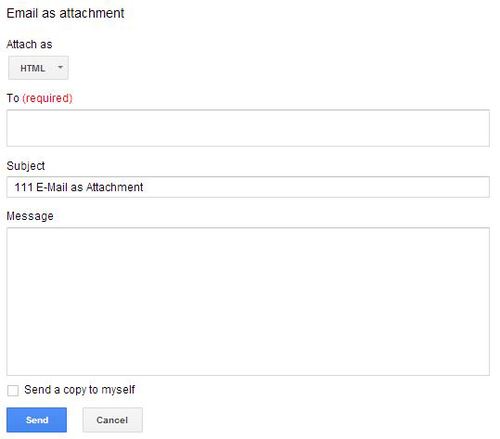
(This Working Droid) This Working Droid Episode 108 Basic Bills Management

Episode Guide

  • N30 = Net 30 Days - Invoices due 30 days after the invoice date
  • Start a spreadsheet in your favorite software (i.e. Excel, iWorks, Sheets)
  • Enter terms as figure (i.e. 30, 45, 60,etc.)
  • Set formula to add the number of days from the invoice date
  • Adjust due dates base on odd days or weird billing cycles

Direct Download

E-Mail Me

Online Contact Form

Support Geek I/O on Patreon!

HeadphonesNeil Amazon Author Profile