

(Tampa Bay Geeks) Metrocon!

metrcon image.jpg

This year is the first time that Rachel and myself were able to have the pleasure of going to the Tampa Bay Metrocon, Floridas biggest anime convention.  We want to first of all thank the great press relations group over at Metrocon for getting us in last minute, and treating us like we had been there forever.

Unfortunately, we were only able to treat ourselves to the Saturday of the event, due to it being Rachels birthday.  That being said, we were able to attend a few panels while we were there, and got to hang out with a couple of fans (of ours even, thats crazy) as well as seeing a lot of amazing things.

The entire vibe of the con was fantastic, this was obviously a fan convention.  While yes, it is a smaller convention, but had enough energy to fill twice the area that it was in (the Tampa Bay Convention Center).  The excitement was electric in there, especially when you got around the panels and interview lines.

We got to attend the Yugioh panel, the AMV panel and competition, and the beginning of the Anime Idol, but wanted to do so much more! (The few panels we were able to peek in for we were unable to stay for their entireties)

We also got to hang out around Artists Alley and the Vendor room, in both of those areas we got to see amazing costumes (Check out the pictures on our Media page), people, artists, and shopkeepers.  We got to hang out with an AMAZING artist named Jennifer, who we unfortunately could not get any of her art or pictures, but she was a fantastic artist who specialized in super hero teddy bears.  

This is an abbreviated review, but we were unable to attend nearly as long as we wanted to, and will definitely be back next year to rock the entire event!

Again, thank you to Shannon and the group over at Metrocon for having us. We would love to be back again next year!

For pictures of the event, check out our media coverage page!

Visit Metrocon's page at: http://www.metroconventions.com/

(The Geek I/O Show) The Geek I/O Show: Episode 71 - Dorothy's Adventure to the Center of the Earth

This week on the Geek I/O Show, we were joined by no one!  It was Dale and Alexandras last show, and we gave them a happy little send off that was mostly about them...even though they are leaving us...but we arent bitter...mostly.

We discussed doing all the monkeys, Apes are better than Transformers, filming corn films with ape diapers, surviving finals, David Boreanaz cant make Rachel drop her pants, fixing the broken things, remote locations in Alabama, Neil Gaiman makes other writers look bad, how to build a Claptrap, going retro with Pokemon Yellow, saving coffee man, exploding the news, Gail Gamble, bringing the different girly dynamic, and jumping on the Jar(r)eds.  Plus!  We send off Dale and Alexandra with a big pile of feels!  All the feels!


Join us on Geek I/O, wont you?  Well give you the bro-fist.


If you like what you see and hear on Geek I/O and want to support us on a consistent basis, head on over to patreon.com/geekio where you can subscribe to our network and help us create better content, with new equipment and potentially no-ads (initially on the main show). You can donate any amount you wish, starting at $1/month. Thank you for your continued support of the Geek I/O Network!

Please take a brief moment to participate in an anonymous survey to help us know who is listening. It not only helps us know you better, but allows you to give us direct feedback about what you like and don't like about the shows on our network. Also it will help us attract sponsors if enough listeners like you participate. Thanks!

Full Survey

Short Survey


We want to welcome our newest sponsors: TeeFury (geek-io.com/teefury) , the home for your favorite t-shirt needs! And Think Geek (geek-io.com/thinkgeek) our favorite niche-geek toy/apperal store!

Geek IO is brought to you by Tweaked Audio! 7 colors, 7 types, ultra durable AND sound AMAZING! Both with and without microphones as well, so you can sound awesome on your iPhone, Galaxy S4, Nexus 5 or pretty much ANYTHING else! Use the code "GEEK" at checkout to get 33% off AND free shipping!

And by: ProXPN! Keep your internet activity private and anonymous. With free and premium accounts to take care of your every browsing need. Premium accounts start at $6.25/month, giving you access to their security and privacy options not only on your computer, but on your android or iOS devices.Go check them out and don't forget to use our coupon code "Geek20" for 20% off your purchase!

Try Audible now and get your first 30 days of the AudibleListener Gold membership plan free, which includes one audiobook credit per month. After your 30 day trial, your membership will renew each month for just $14.95 per month so you can continue to receive one audiobook credit per month plus members-only discounts on all audio purchases. Choose from over 100,000 titles. Check out www.geek-io.com/audible for all the details, and we thank Audible.com for their support of Geek I/O!

The Geek I/O Show: Episode 71 Show Notes

The Geek I/O Show: Episode 71 Audio Archive

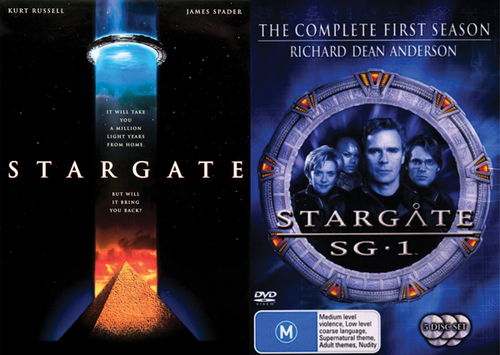
(How It Stacks) How It Stacks #28: Stargate the Movie and SG-1 (Season 1)

I can't really come up with a funny or attention grabbing one liner so you get this...

BOOM! New episode of H.I.S. is up and ready to pleasure to ears! We travel across the universe with the terrific three as they stack Stargate and Stargate SG-1. It's a hysterical journey that let's the guys relive some of their favorite memories of the film that started multiple tv shows. JD confesses why he didn't watch the Sci-Fi (Sy-Fy) Network growing up, while Willis brings the knowledge as always... Oh, and Bulldog gets the spotlight for being the only member of the show who watched SG-1 (before this episode)!!! (crazy right??) It's another glorious episode that you don't want to miss.

Direct Audio Link: HIS - Ep 28 Stargate the Movie and SG-1 (Season 1)


We would like to thank our sponsors: Think Geek: Head on over to www.Geek-IO.com/thinkgeek for all your geeky accessory needs! And Tee Fury: Home of the twofury tee shirt competition! Two shirts enter, only one leaves victorious! Head over to www.Geek-IO.com/teefury to pick your favorite!


Special thanks to I Fight Dragons and Ben Landis for our music and to The Geek I/O Podcast Network for hosting our show!

Geek I/O is currently taking a survey of all their listeners. Please click the banner in the show post via the website (www.geek-io.com/howitstacks) or the picture/link below. This is a brief survey to help us get to know you and what you like about our shows! They have also started a new way to support the network: monthly subscriptions, starting as low as $1/month! Currently this is a way for the network to improve the website and get new equipment, and help pay for miscellaneous network expenses. But if we start receiving enough sponsors there is a possibility to go ad free! Visit the Patreon site for full details, and to sign up!

Full Survey

Short Survey


Additional Sponsors:

Tweaked Audio (www.TweakedAudio.com): use the code "geek" to receive free shipping and 33% off your order!

ProXPN (www.ProXPN.com): use the code "geek20" to receive 20% off your membership (normally $6.25/month).


(The Android Realm) The Android Realm Device Review Samsung Chromebook 2

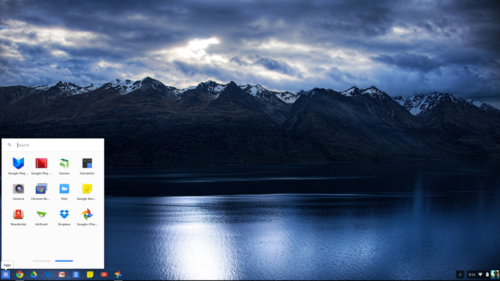
Screenshot 2014-07-11 at 9.14.24 PM.png

  • Initial Setup

    • Connect to WiFi to have default profile

    • May download various updates

    • Tour system and UI

  • Performance

    • Internet speed limited only by network connection

    • Mouse sensitivity adjustments may need changing

    • Adjust display to fit viewability

    • Smooth performance even after installing apps

  • General Use

    • Easy transition if already using Chrome browser

    • Mouse supports swype gestures to switch between tabs

    • Some shortcuts may differ but all the same ones in other OS's available

When considering the purchase of a Chromebook, it is hard to believe that its setup and use can be as easy as they say but I would say it is about 99% accurate. The only thing difficult would be learning some keyboard combinations and maybe learning how to zoom in and out on websites.

To start with the initial setup, the step by step process guides the user through connection to a WiFi network the logging in with your existing Google account (or setting up a new one). A Chromebook can be used without a Google account but with limited functionality (i.e. no apps besides what is already on the device. Once the user is logged in, a quick tour is given of the UI and that is about it. If you have used a browser then perfect and if you've used Chrome, then even better.

Overall system performance is very responsive. Booting the device takes around 5-10 seconds (mine takes around 6, even after installing apps). Switching between tabs and navigating the UI is very smooth, even with several tabs open. If there is an update that requires a reboot, a little arrow shows up in the task drawer. The only setup the user may need to work on is the screen brightness and mouse sensitivity which I find to be a very personal touch. Getting used to the mouse takes a little bit of getting used to as it supports multi-touch and gestures so remembering to not leave my fingertip on the pad takes some time but is not unfeasible. The brightness setting, on the other hand, does not even require even going into settings as there are keys built into the keyboard. Speaker sound quality is about as much as can be expected from laptop speakers so plugging in external speakers is your best bet (or headphones for that matter) for better sound but the built-in speakers work well enough in quiet environments or for a quick listen (i.e. Google Voice voicemail).

As far as laptops go, getting a Chromebook is a good bet. It works well for e-mail, checking RSS feeds, watching videos, etc. The screen quality looks good on at the 13.3 size to make HD videos enjoyable to watch and battery life makes it easy to forget to charge, even while during regular usage. Finally, the price is easy on ones budget, especially better when compared to other laptops with similar specs to do the same thing.