• Home
  • Shows
    • LIVE!
    • Twitch Hub
    • Alpha Geek Radio - Live - Talk 1
    • Videos
  • Old Podcasts
  • Subscribe
  • Contact
  • Media Coverage
  • Dragon Con coverage
    • Support Geek I/O
    • Our Equipment (Affiliate Links)
    • Geek Projects
Menu

The Geek I/O Network

Where you put Geek In, and Geek Out!
  • Home
  • Shows
  • Live Events
    • LIVE!
    • Twitch Hub
    • Alpha Geek Radio - Live - Talk 1
    • Videos
  • Old Podcasts
  • Subscribe
  • Contact
  • Media Coverage
  • Dragon Con coverage
  • External Links
    • Support Geek I/O
    • Our Equipment (Affiliate Links)
    • Geek Projects

The Android Realm App Review Epic Launcher

November 10, 2014

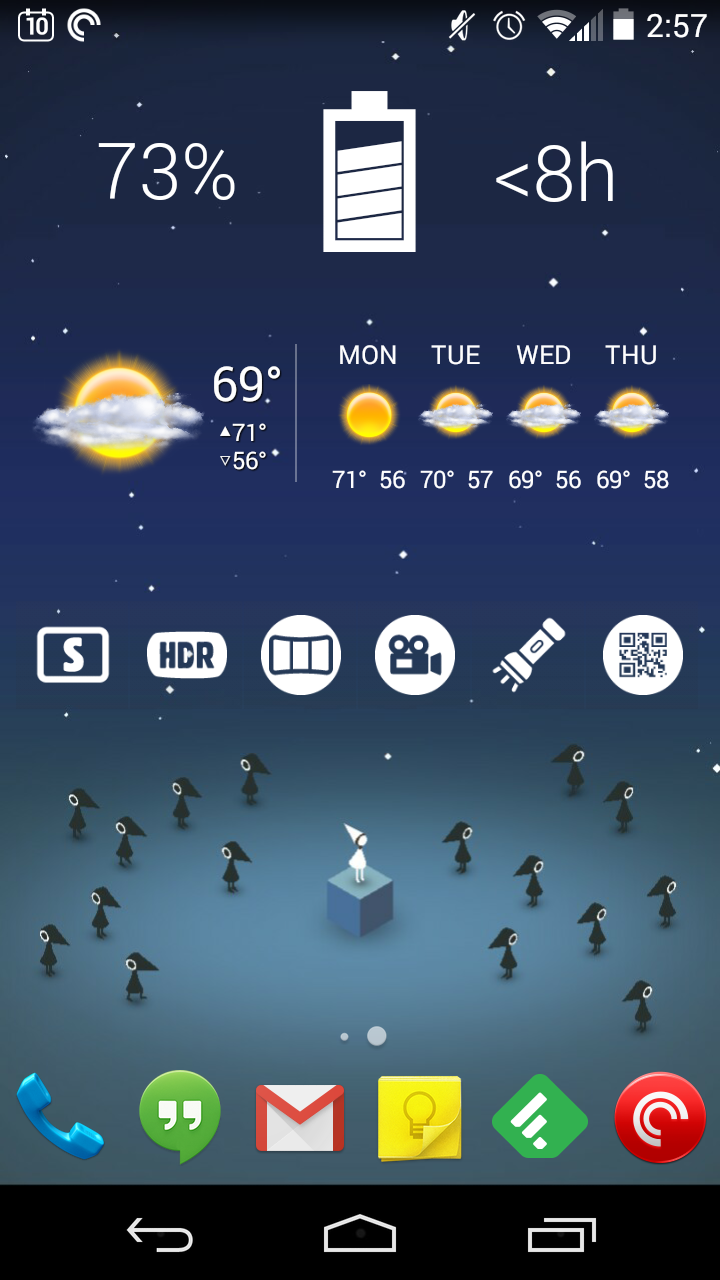
Since Android 2.2, Android users have had custom launchers to extend the functionality of what the stock (or skinned UIs) have provided. For Android 2, ADW and Go Launchers were among the popular launchers to customize the home screen count, adjust the drawer and homescreen grid and change the number of docks and dock icons. In Android 4, we have launchers like Nova and Apex. While Android 5 has just release, developer Nikao has brought Epic Launcher to extend the features and functionality of the Google Now Launcher.

To start, the layout and featureset is similar to the stock Google Now launcher with a couple of homescreens, dock and the ability to swype right to get to Google Now. Removing icons from homescreens will automatically remove them once there are no more shortcuts and add homescreens when icons and widgets are added. This is where Epic Launcher starts acting like ADW, Nova and other launchers.

Homescreen
The homescreen grid can be customized so more columns and rows can be added to fit more widgets and icons as needed. Other options like margin size, scroll effect and labels can also be adjusted. The search bar that is on by default can also be turned off if desired.

App Drawer
The app drawer settings for Epic Launcher has the usual options including vertical or horizontal app drawer, customizable transparency and customizable portrait and landscape grid. Other options included are label option and app drawer opening animation (i.e. up and down, fly, fade, none). 

Dock / Folders / Look & Feel
Standard dock customizations are included as well. These include the number of docks, number of dock icons, the ability to turn th edock on/off and adjusting the icon scale. Folder types can also be adjusted much like Nova where line, fan, and grid are available. The launcher also supports standard icon packs and is expanding support regularly so custom icons can be set if desired.

Summary
The long and short of Epic Launcher is that it is worth checking out as it is built on the Google Now Launcher and continues in the tradition of the launchers released before it for prior Android versions.
Direct Video Link

Google Play - $Free

Tags app review, android, epic launcher, launcher, adw, nova launcher, nova, go launcher, epic, lollipop, google now, google now launcher, apex, homescreen, grid, customize, dock, app drawer, transparency, holo launcher, icon pack, icon, ui, column, row
Comment

The Android Realm Game Review Angry Birds Epic

June 12, 2014

Like the Angry Birds franchise? Ever wanted to build up your birds to fight the egg stealing pigs? Then Angry Bird Epic is for you!

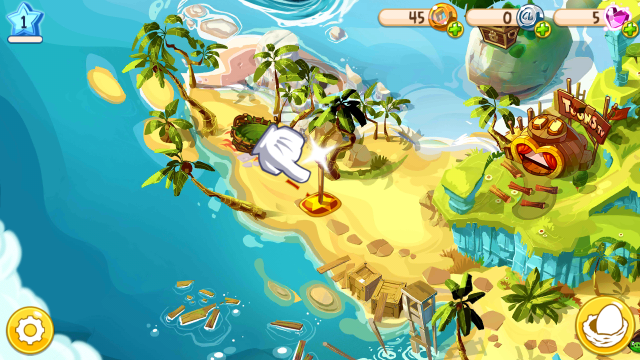
The new game in the Angry Birds franchise now comes with the RPG element for a brand new adventure. The world map is similar to Super Mario World or Donkey Kong Country as far as overview of the world and getting to the next level. Rovio's version adds a minor variation with movement in the world map of where the player is headed next and the current overall mission. Cut scenes still exist much like other Angry Birds games so there is some backstory provided but other than that, it is up to the player to poke around and find interesting features of the game and what to do.

Early gameplay is relatively simple as far as fights go. Attacking is as simple as dragging your finger from the bird over to the "attacker." Each side gets one hit per turn so repeatedly dragging your finger across the screen is pointless. As the player attacks, damage shows on the screen along with a nice health indicator for the player and the enemy. On the boss level, holding down on the bird will show current stats for attack and defense. The end of each level, once won, will allow for spinning a wheel to win prizes. Eventually, once new items are collected, the player can upgrade their character with better weapons, shields, and potions.

The game also allows for integration with Google Play Games so as achievements and levels are unlocked, it will tie with your leaderboards so the competition factor is also available. Otherwise, graphics and performance is as good as any other Angry Birds game.

Google Play - $Free

Tags rovio, angry birds, epic, angry birds epic, rpg, bird, egg, pig, map, donkey kong, donkey kong country, super mario, super mario world
Comment

Latest & Greatest

Home
(Generic Live Show!) Generic Live Show - 12-04-2016 - Clip of the Week
about 9 years ago
(Generic Live Show!) Generic Live Show - 12-04-2016 - Hour 2
about 9 years ago
(Generic Live Show!) Generic Live Show - 12-04-2016 - Hour 1
about 9 years ago
(Life of an Accounting Droid) Life of an Accounting Droid Episode 71 Black Friday and Cyber Monday
about 9 years ago
(Generic Live Show!) Generic Live Show - 11-27-2016 - Hour 2
about 9 years ago

Fresh Tweets